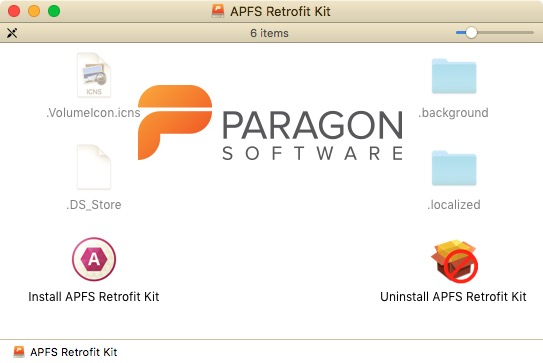
If you have a Mac with MacOS X up to El Capitan (OSX 11), you can neither access APFS-formatted external drives, nor connect to a Mac in Target mode formatted as such. If your OS-harddrive is formatted as HFS+, you can only mount, read and write to other HFS+ disks.
Paragon wrote a driver in 2018, with which you might be able to READ a APFS disk, but it vanished not long after. I guess Apple wanted to entice people to upgrade to an OS later than El Capitan, or better, update to a newer machine, and therefore probably forced the driver out of open linkage.
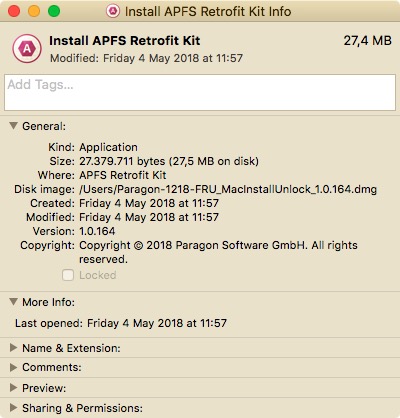
This URL is fetched out of Wayback Machine, but apparently it is still on the company’s webserver: http://dl.paragon-software.com/free/Paragon-1218-FRU_MacInstallUnlock_1.0.164.dmg
Why did I write this? Because I despise being forced into a corner; because I take pride in keeping my old machines alive; and because I dislike their tactics. And to send a message. They might send ME one, I don’t know – it’s all speculation on my part – but then it’a all safely tucked away at Wayback machine. They can’t touch that, can they?

Thanks!
But this doesn’t work (for me).
After rebooting, Paragon comes up with a notification that my preview has inspired and encourages me to buy it now. As far as I understand, it was free software. Any work arounds?
/Jeppe
TLDR; The download URL is this: https://dl.paragon-software.com/free/Paragon-1218-FRU_MacInstallUnlock_1.0.164.dmg
How I figured it out:
I used CURL on MacOS to try to download their URL “http://dl.paragon-software.com/free/Paragon-1218-FRU_MacInstallUnlock_1.0.164.dmg” but it returned the following response:
”
301 Moved Permanently
301 Moved Permanently
CloudFront
”
I then ran the command “curl -Ls -o /dev/null -w ‘%{url_effective}\n’ http://dl.paragon-software.com/free/Paragon-1218-FRU_MacInstallUnlock_1.0.164.dmg” to get the new location of the file and it responded with the following URL:
https://dl.paragon-software.com/free/Paragon-1218-FRU_MacInstallUnlock_1.0.164.dmg
So the new location is: https://dl.paragon-software.com/free/Paragon-1218-FRU_MacInstallUnlock_1.0.164.dmg
Good work, man. Hope it stays at that location (that DL’ing it does raise flags).